Categories
Categories organize Elements into groups like Cast Members, Props, Vehicles, etc. Choose to add multiple Elements per Category using the checkboxes if needed.
Default Categories
Every new Schedule includes the following built-in Categories:
| Category | Category |
|---|---|
| Cast Members | Sound |
| Extras | Art Department |
| Background Actors | Set Dressing |
| Stunts | Greenery |
| Vehicles | Special Equipment |
| Props | Security |
| Cameras | Additional Labor |
| Special Effects | Visual Effects |
| Wardrobe | Mechanical Effects |
| Makeup/Hair | Miscellaneous |
| Animals | Notes |
| Animal Wrangler | |
| Music |
Note
Built-in Categories that are standard in your MMS setup cannot be re-ordered.
Edit a Category Name
To edit a Category name, click the Category header and then click Edit (pencil icon). Change the name of the Category in the dialog box that appears and then click Save & Close. Each Category name must be unique.
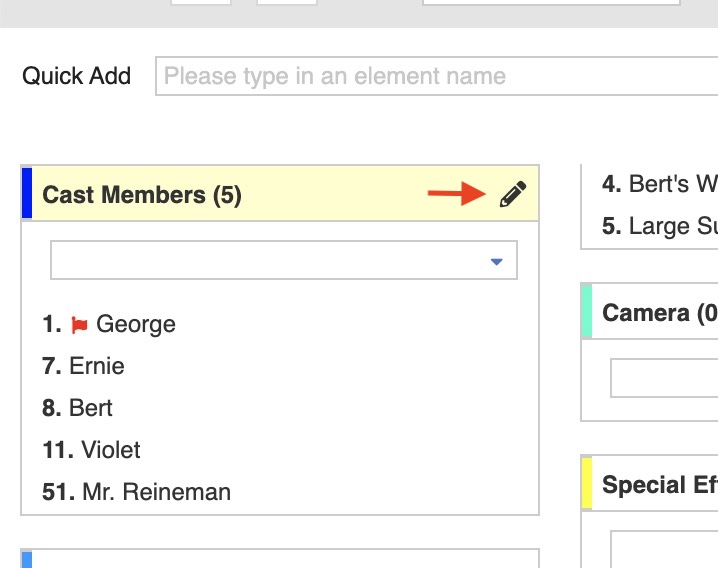
You can also edit Categories in the Elements tab.
Use in Daily Quantity
A Use in Daily Quantity checkbox sits in the New Element Defaults tab of the Category Edit screen. The setting applies to the schedule you set it on and takes effect immediately. Cast Members is off by default, so the MMS 6 reading experience is the default.
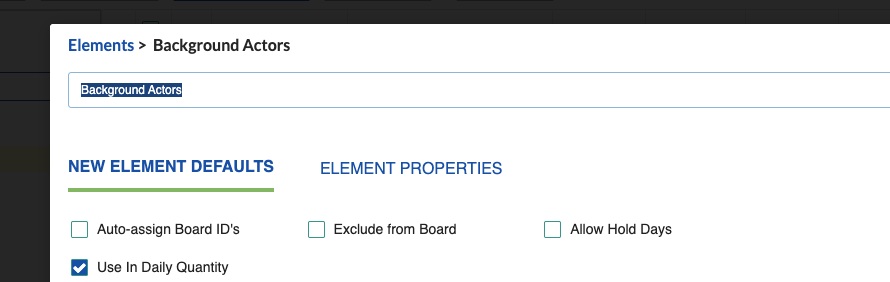
Hiding Element Quantities
When a category is off, element checkboxes and element-specific quantities for that category are hidden in the Breakdown, on Board strips and Board report strips, in the Calendar designer quantity field, and in the One-Line, Shooting Schedule, Daily Category Total and Breakdown reports. Category totals in those reports are unaffected. Element names and how you manage them are unaffected.
Asterisk for Partial Counts
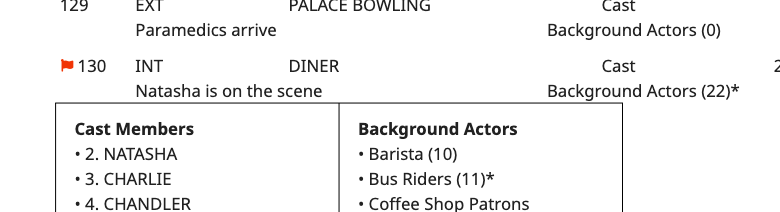
When a category counts and at least one of its elements is unchecked, the category total carries an asterisk so the figure reads as deliberate rather than wrong.
- On a report broken out by day, the total leaves out the unchecked element's quantity and the asterisk marks where a value was left out. If the total would read as zero or one, the number is hidden but the asterisk stays.
- On a report broken out any other way, the number for that breakdown sheet always shows, with the asterisk marking that it is excluded from the day's total.
Daily and Full Element Quantity
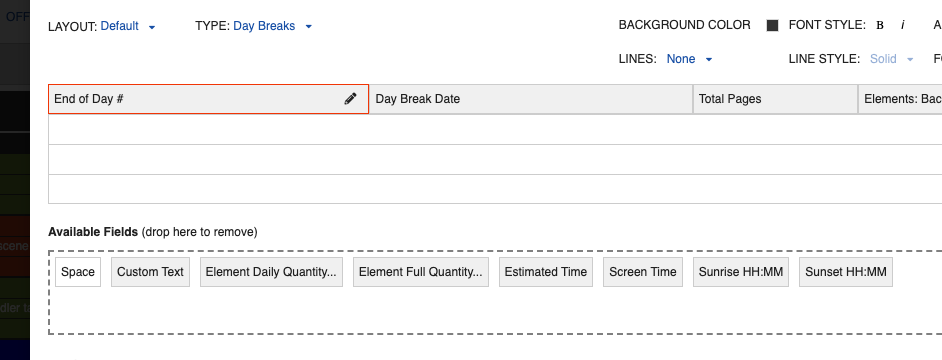
In the Board Strip Designer and the One-Line Schedule Report Designer, with TYPE set to Day Breaks, the Element Quantity field is now Element Daily Quantity, and a new Element Full Quantity field is available. Element Full Quantity counts the element inclusive of reuse across shooting days.