Right-Click Context Menu
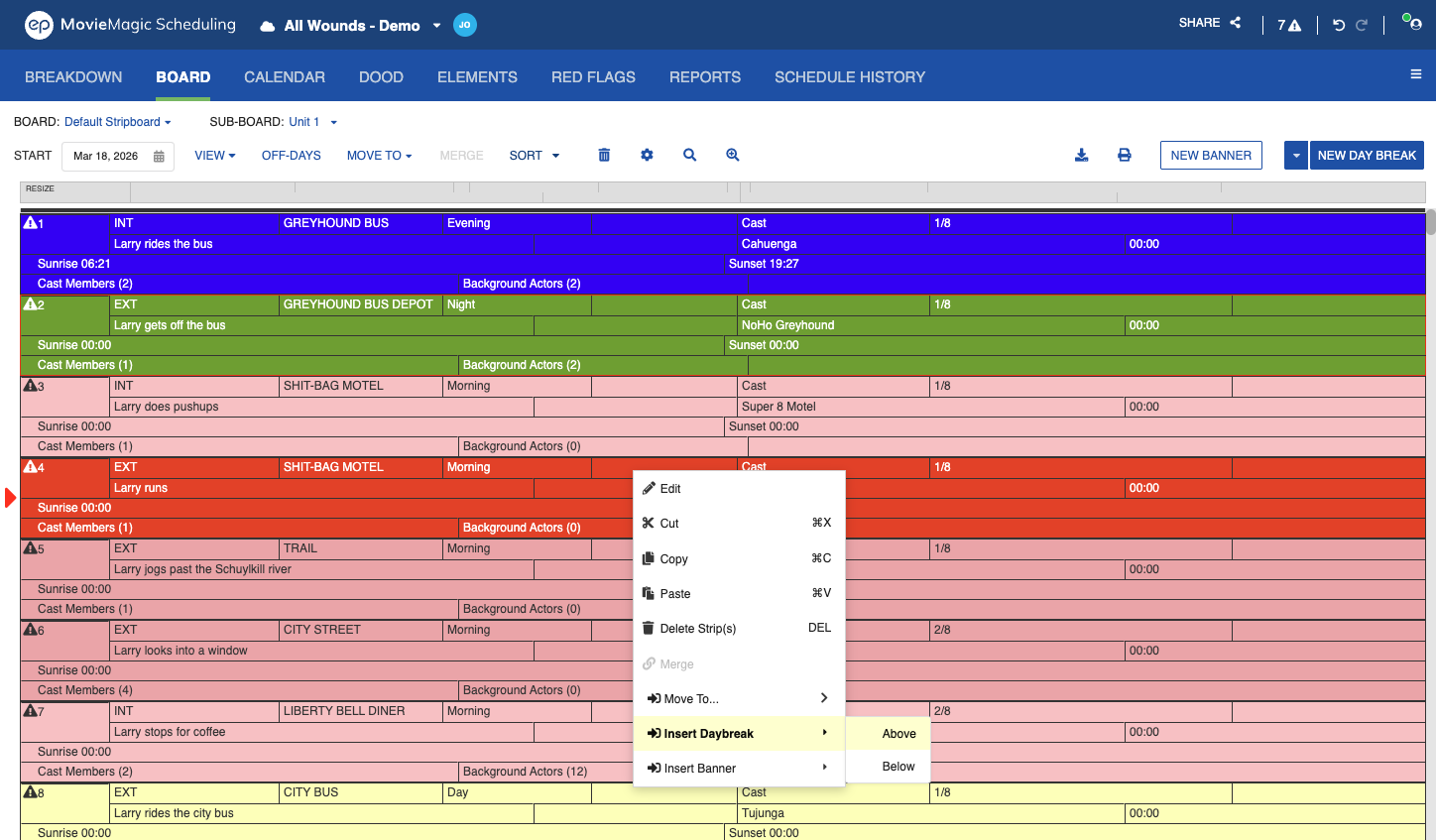
Right-clicking on a Strip (or pressing OPTION + click on macOS) in the Board opens a context menu with the following options:
- Cut: Cut the selected Strip(s).
- Copy: Copy the selected Strip(s).
- Paste: Paste Strip(s) below the currently selected Strip.
- Delete Strip(s): Delete the selected Strip(s) and their corresponding Breakdown Sheets.
- Delete Banner(s): Delete the selected Banner(s).
- Move To: Move the selected Strip(s) to another Sub-Board.
- Merge: Merge the selected Breakdown Sheets into a single Strip.
- Insert Daybreak: Insert a Day Break Above or Below the selected Strip.
- Insert Banner: Insert a Banner Above or Below the selected Strip.
Copying Strips
The Copy action is available on all Strip types: Shoot strips, Banners, and Day Breaks. You can also use the keyboard shortcuts Cmd+C on macOS or Ctrl+C on Windows.
Multi-select with Shift or Cmd (macOS) / Ctrl (Windows) works across any combination of Shoot strips, Banners, and Day Breaks. The clipboard holds your copied Strips until you switch Boards or open a different Schedule.
To paste copied Strips:
- Right-click a target Strip and choose Paste, or use
Cmd+V/Ctrl+V. - Right-clicking on an empty Sub-Board shows Paste instead of Copy.
- Pasting into an empty Sub-Board or the Boneyard focuses the first (top) Strip of the pasted group so you can see where the Strips landed without scrolling.
Insert Daybreak or Banner Above or Below
To place a Day Break or Banner on either side of a Strip:
- Right-click the Strip.
- Hover over Insert Daybreak or Insert Banner to open a submenu.
- Choose Above or Below.
The newly inserted Strip is highlighted after insertion.
Note
When multiple Strips are selected, the last-selected Strip determines where the insertion happens.
Cut and Move
Cut and Move To are unchanged from earlier releases. See Managing Strips for the full cut, paste, and Move To workflow.