Daily Category Total
The Daily Category Total report is the headcount document you hand to department heads. It shows Category totals, such as Background Actors or Props, broken down by shooting day for the selected Board and Sub-Board. Your Board and Sub-Board must have Day Breaks.
Totals sit inside their own shooting day, you can run several Categories in one report, and the grid reads top to bottom by column, matching Movie Magic Scheduling 6.
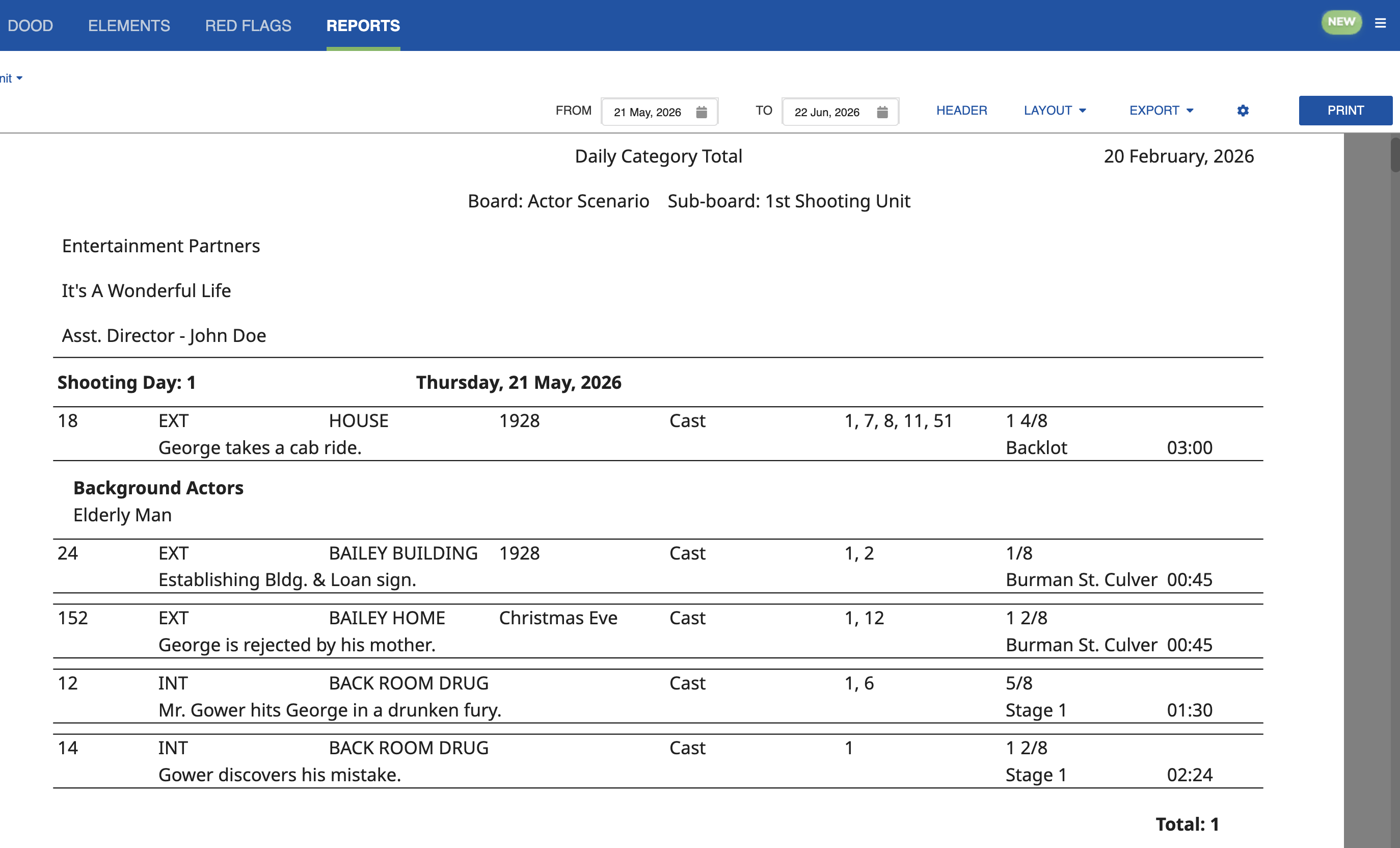
Selecting Several Categories
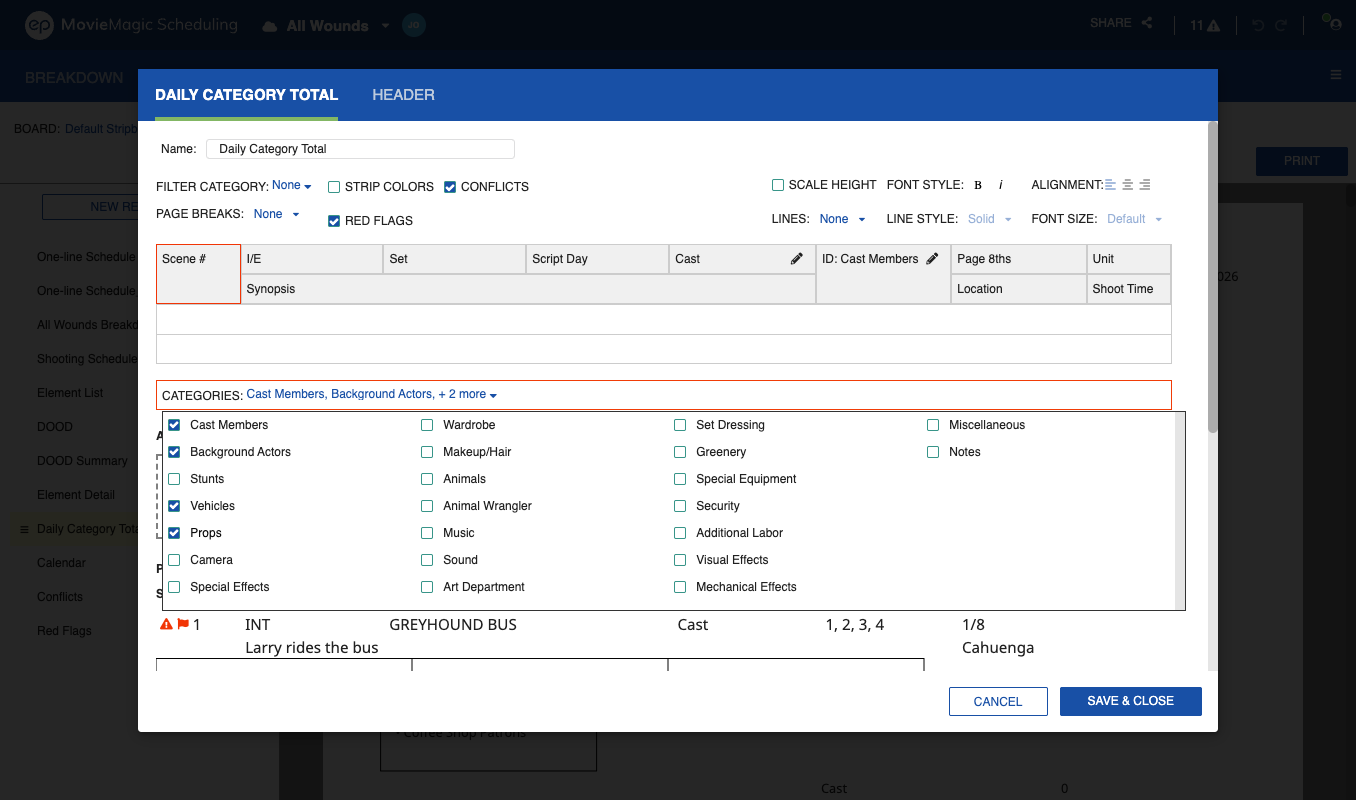
Open the designer from the Settings icon (cog) and select Edit. Tick the Categories you want and apply once. The report regenerates with all of them.
Day Total View
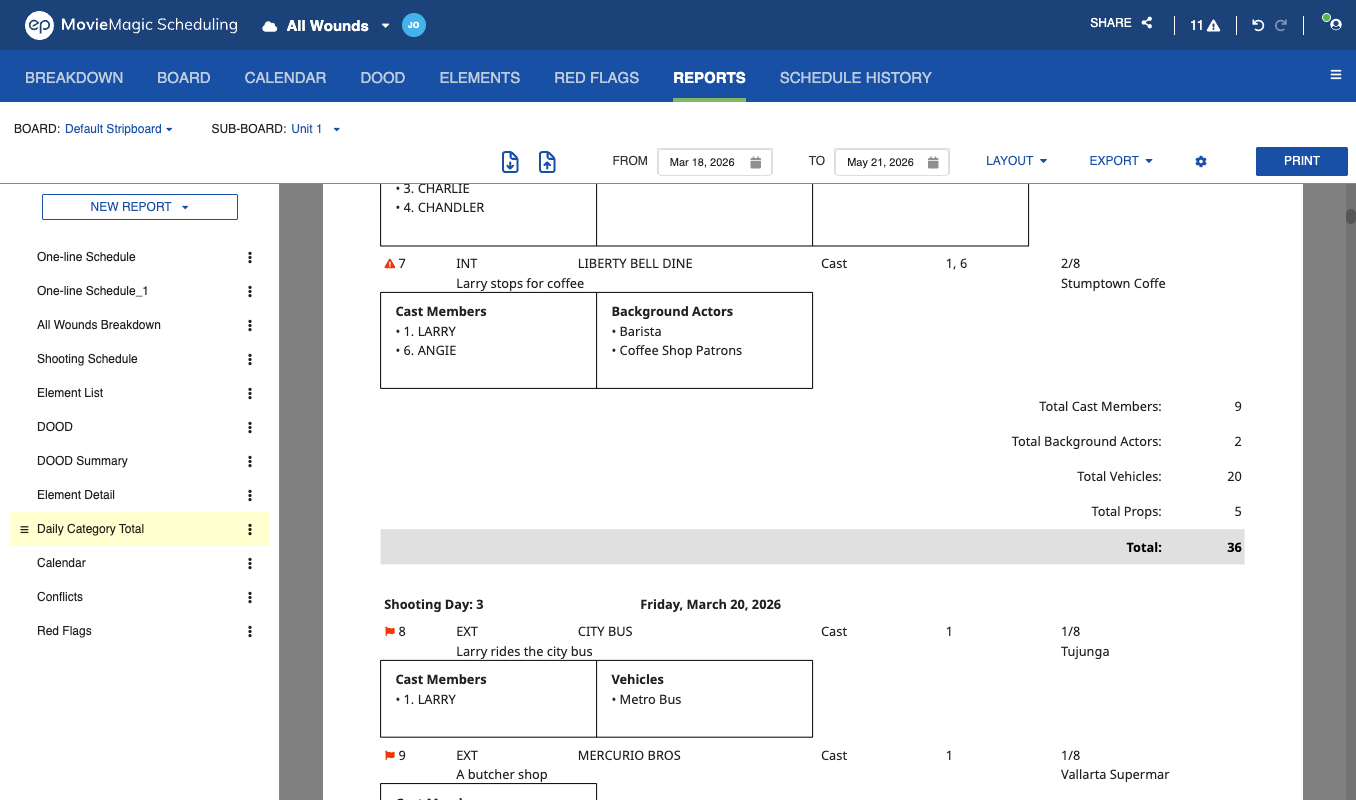
The day total view shows cumulative Strip counts per Category for each shooting day, so you can read how each Category builds across the day.
Column Order
Category grids in the Daily Category Total and Shooting Schedule reports fill down each column before moving to the next. The elements list in the One-line Schedule designer reads the same way, and lists Elements that have a Board ID first in ID order, followed by everything else alphabetically.
Settings
The designer also lets you configure page breaks, font size, alignment, and line styles. Red Flag and conflict icons can be turned off here. See Red Flag and Conflict Visibility.