Red Flag
The Red Flag Manager helps production teams identify and manage scheduling constraints before they disrupt the production. By creating and applying Red Flags to dates, cast, locations, or other elements, users can clearly mark constraints such as unavailability, holidays, or special requirements.
Red Flags and Conflicts
Movie Magic Scheduling tracks two different scheduling problems with two separate markers on the Board, Breakdown, and Elements tabs.
- A Red Flag marks an element as unavailable on a given day, such as a cast member on hold, travel, or PTO.
- A Conflict marks an active element scheduled on the same shooting day across two or more different Sub-Boards, which comes up in multi-Sub-Board block shooting.
Each marker points to a different problem and a different fix.
When an element is unavailable and scheduled the same day
If an element is both flagged unavailable and scheduled that day, the Board and the Board report show the Red Flag and Conflict markers side by side. The Breakdown sheet shows the Red Flag marker only, since that is the state you act on there.
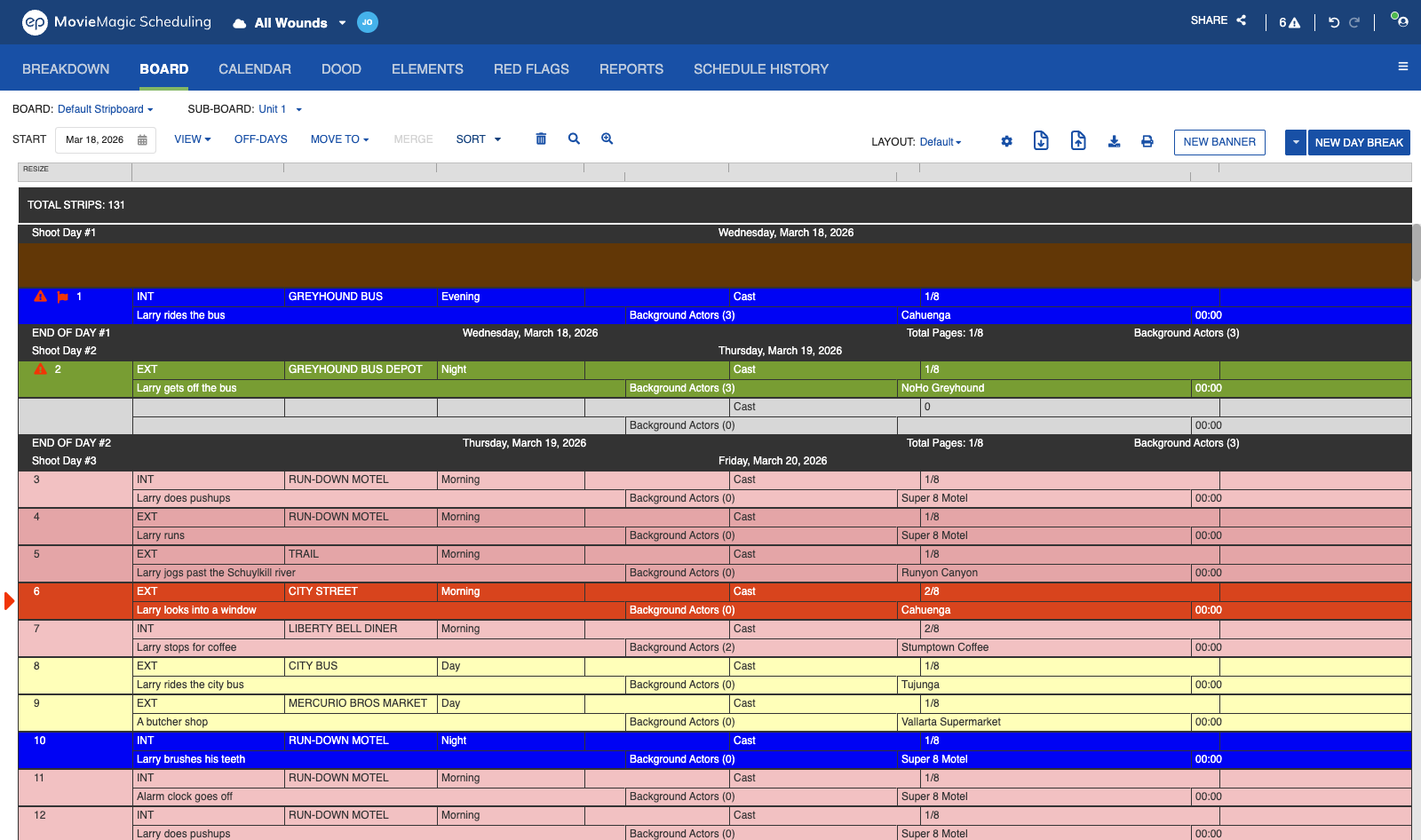
Red Flag views on the Calendar
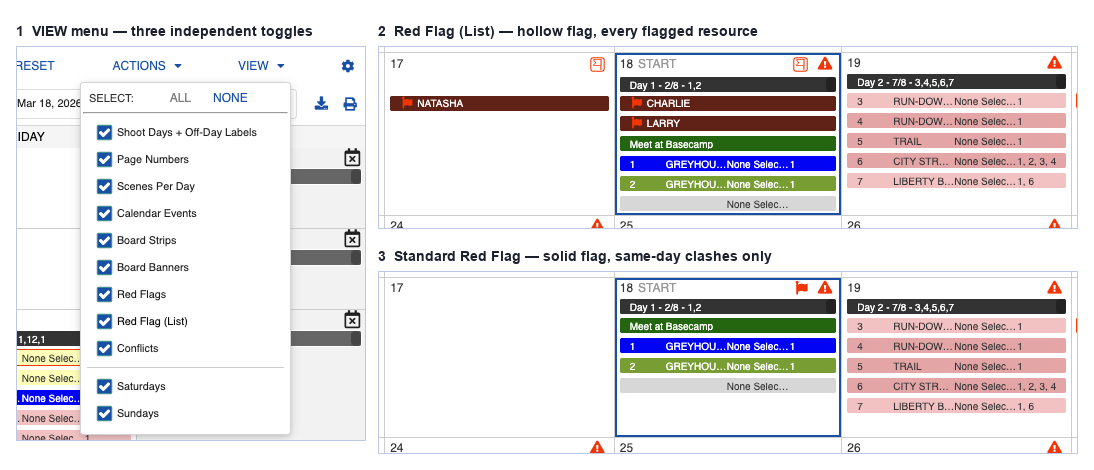
The Calendar offers two Red Flag views:
- Red Flag (List) shows every date cell that has a red-flagged element, whether or not a shooting strip is mapped to that cell. It uses a hollow red flag icon and appears only on the Calendar.
- The standard Red Flag view shows a red flag only when an element is red-flagged on a date and a shooting strip containing that element is scheduled on the same date. It uses the standard red flag icon.
The Calendar VIEW menu carries independent toggles for Red Flags, Red Flag clashes, and Conflicts, so you can switch each indicator on or off on its own.
Note
The standard Red Flag view restores the behavior from Movie Magic Scheduling 6, where the calendar surfaced only the days a flagged element was actually scheduled.
Red Flag and Conflict reports
Red flags and conflicts print as two separate reports. The Conflict Report lists conflicts, one row per conflicting Strip. The Red Flag Report lists conflicts on red-flagged Elements, with the flag shown in place of the shooting day.
Separated icon views
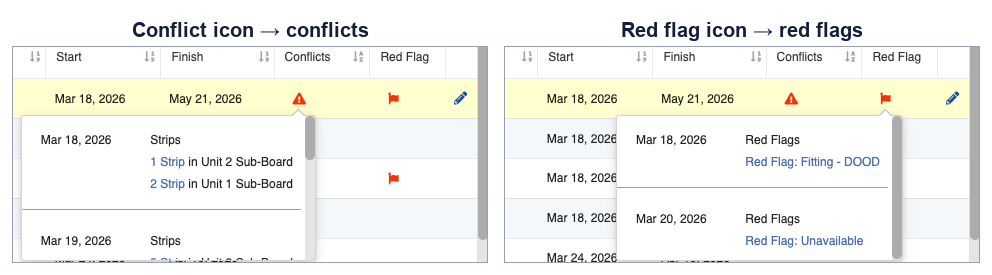
On the Board, Calendar, DOOD, and Elements tabs, each icon shows one kind of problem. Click the conflict icon to see conflicts. Click the Red Flag icon to see Red Flags. The combined view is titled Conflicts & Redflags and behaves as it did before.
Built-in Categories
Red Flags trigger on the system-defined built-in categories (Cast Members, Background Actors, Vehicles, Props and the rest) the same way they trigger on regular and user-defined categories. Flags on built-in category elements surface on Board strips, in the Breakdown and Elements views, on the Calendar, in Day Out of Days, and in the Red Flags tab.
In Reports, indicators appear on the Red Flag report, Daily Category Total, Shooting Schedule, One-Line Schedule, Element Detail and Element List.
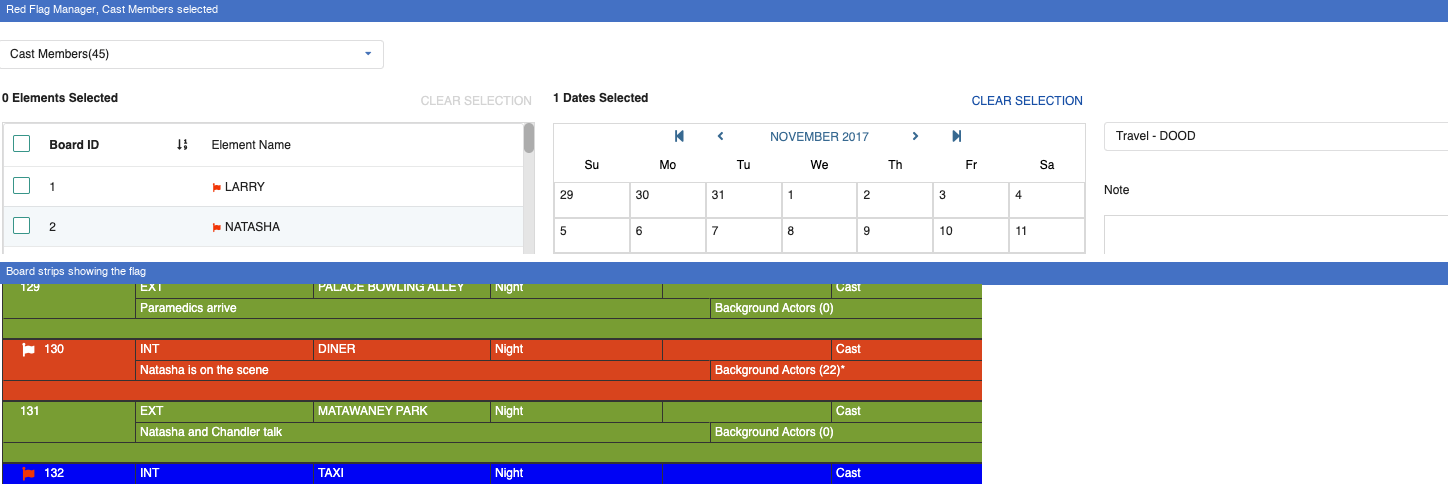
Red Flag Window
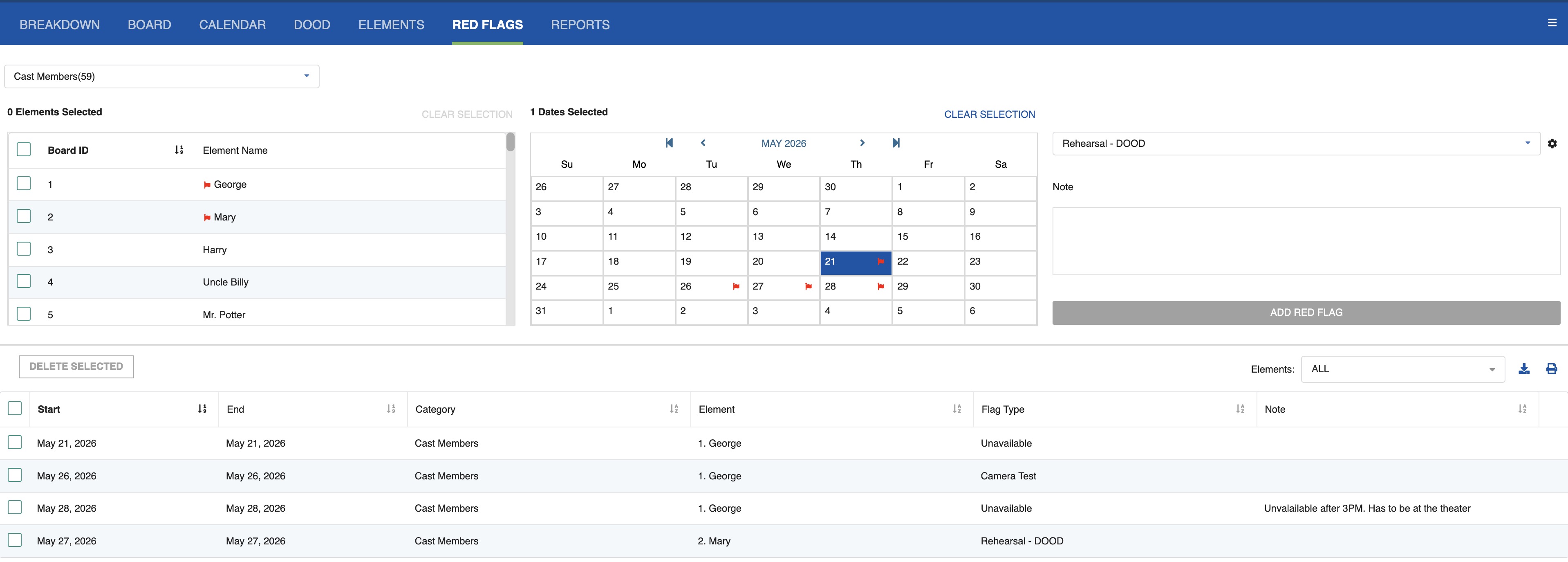
- Managing Red Flag Types: Add, delete, and reorder the Red Flag warning types available in your schedule.
- Element Red Flags: Assign Red Flags to specific elements in the Calendar, and edit, filter, or export them.