Split Screen
In Movie Magic Scheduling 10, Split Screen lets you view two different layouts or sections of your schedule at the same time.
The Split Screen options are:
- Breakdown Sheet / Board
- Advanced Find & Replace
- Board / Board
- Calendar / Board
- Board / Images and Breakdown / Images (see Scene Images)
Access the Split Screen Option
- In the upper-right corner of the window, click the three-line menu icon.
-
From the dropdown menu, select the Split Screen option.
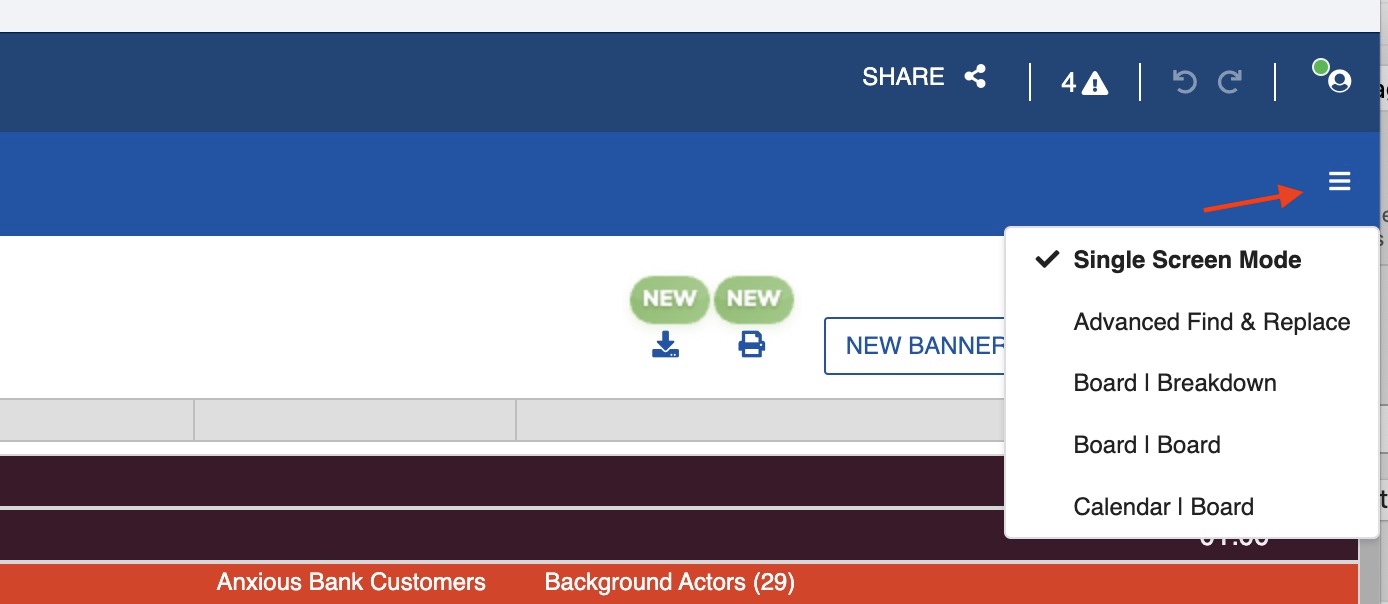
To exit any split screen, click the three-line menu icon and select Single Screen Mode.
Scene Images
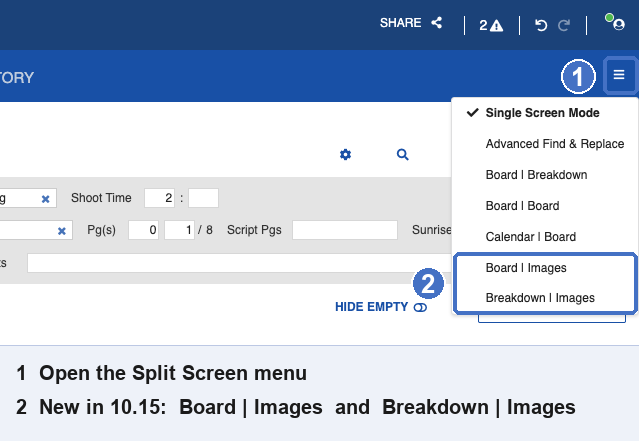
Images attach to scenes through two split-screen panes:
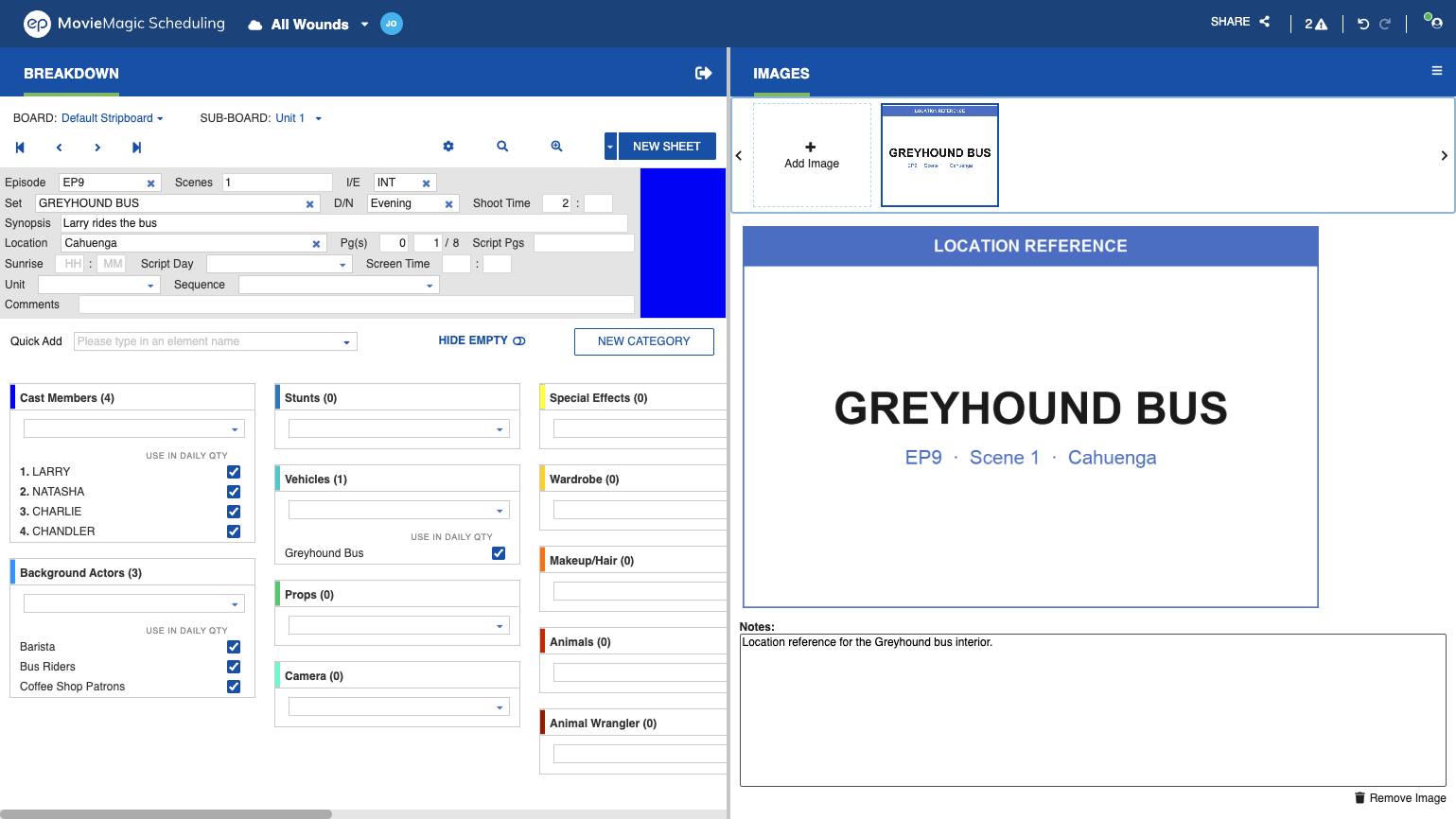
- Breakdown / Images shows images for the scene open in the Breakdown.
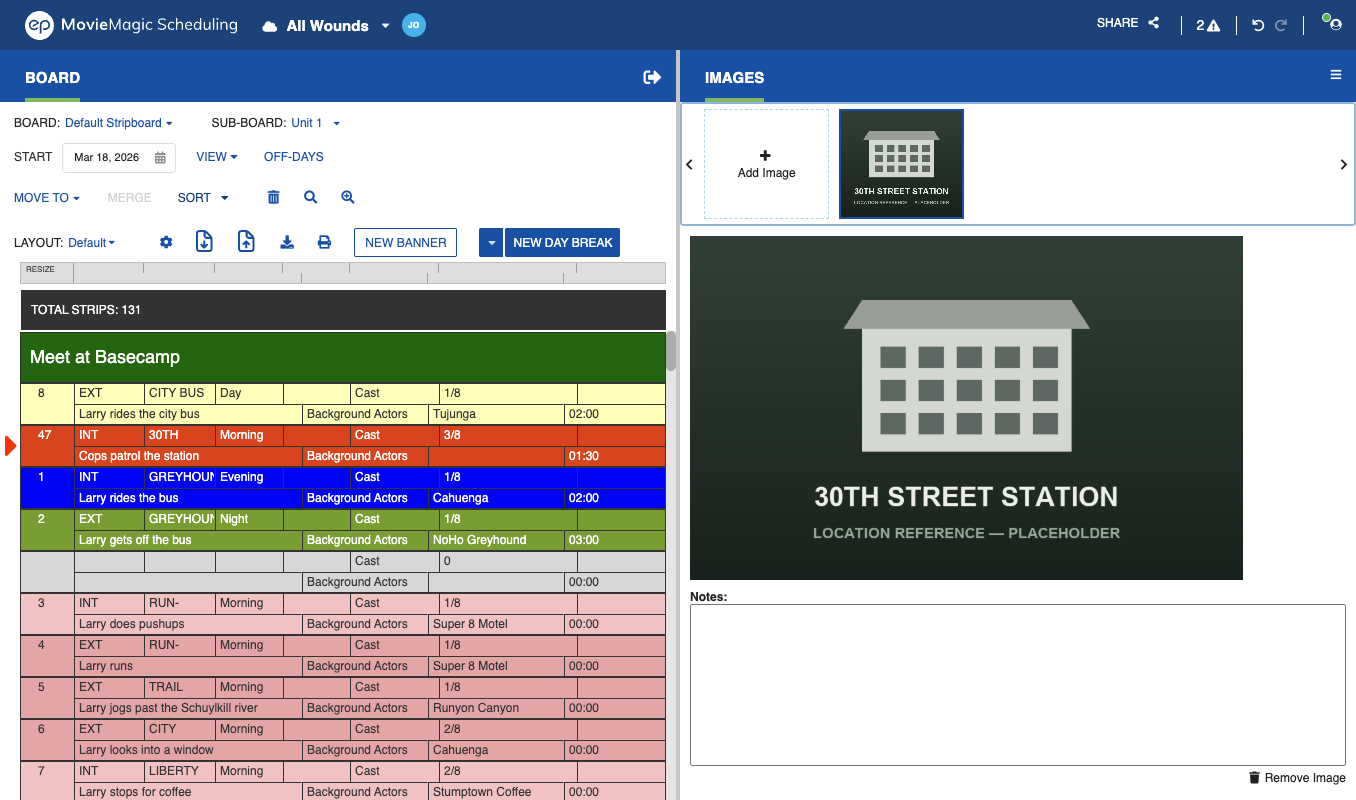
- Board / Images shows images for the scene of the Strip you have selected.
Both views sit at the bottom of the Split Screen menu:
Open either split, then select the scene or Strip. In Breakdown / Images, the pane shows the image for the sheet you have open:
In Board / Images, the pane shows the image for the Strip you select:
Add, delete, preview, and note images the same way you do on Elements. See Images Tab for how images work on Elements, and Insert Element Images for printing an image on the Element Detail Report.