Breakdown Report
The Breakdown report generates a printable version of your Breakdown Sheets for the currently selected Board and Sub-Board.
Each Breakdown Sheet is printed with its Scene Header information and the Elements assigned to each Category. Use the Layout settings to select which Categories are included.
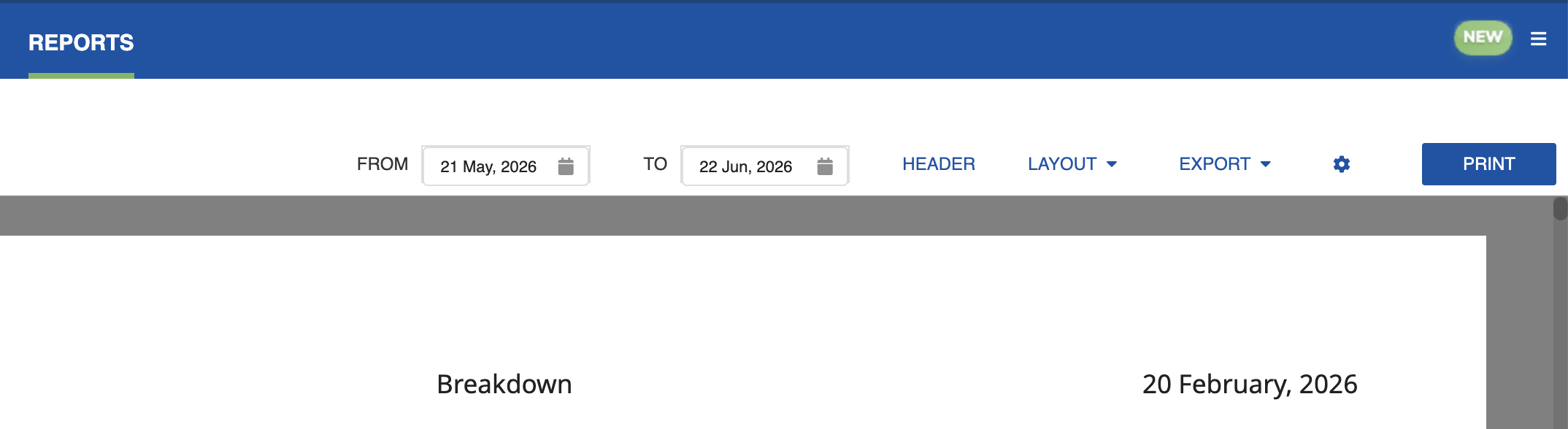
Distribute it to department heads for scene-by-scene breakdown information.
Click the Settings icon (cog) and select Edit to open the settings dialog, where you can customize the Breakdown Sheet layout for reporting.
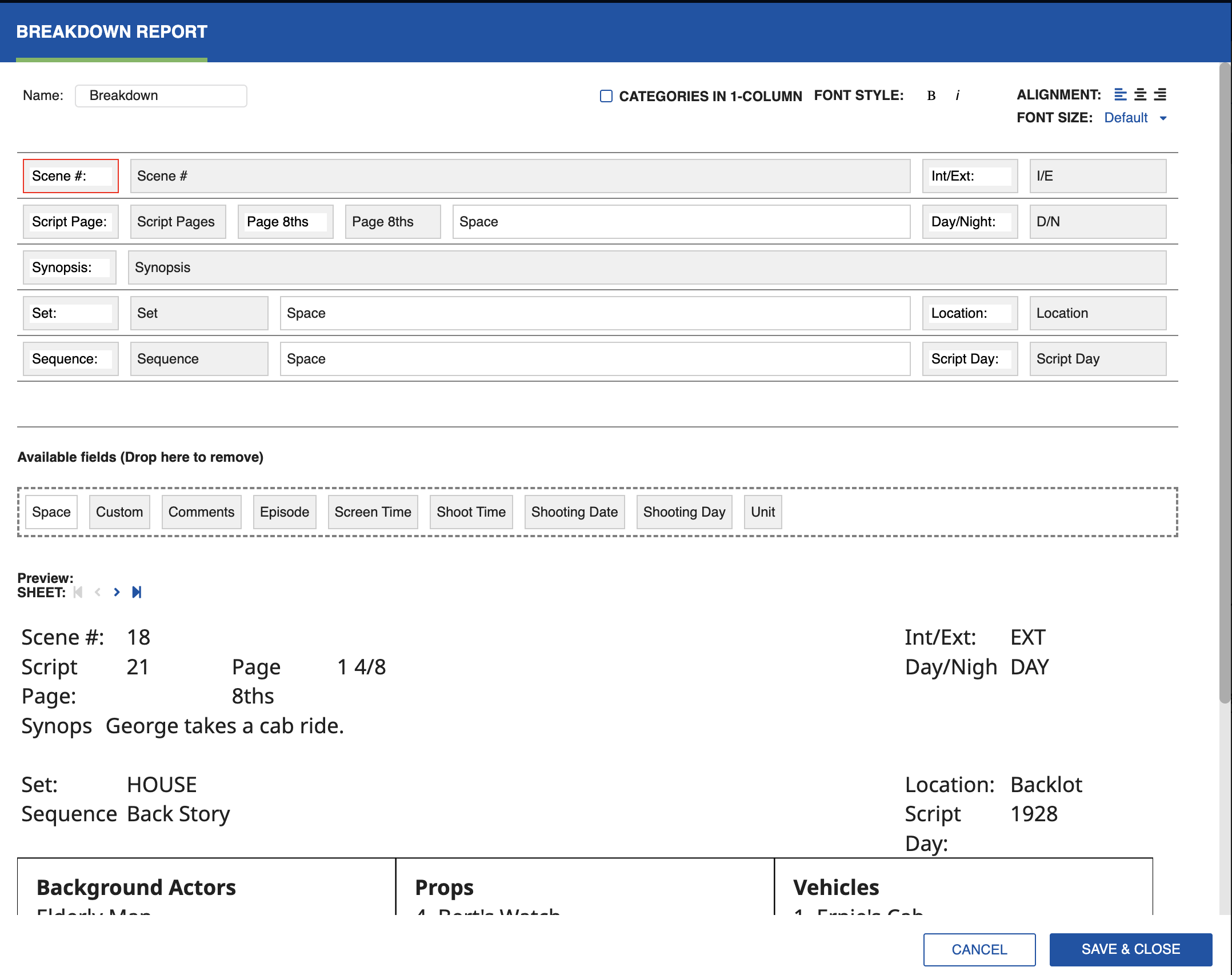
You can drag and drop fields to customize the report. Note that all Categories will be included in the Breakdown Report. Categories are displayed beneath the Strip and span the width of the page. Click Categories in 1 Column to list them in a single column instead. Navigate through your Breakdown Sheets using the forward/back arrows to check the design before generating the report.
Each Category prints in one column, the columns align, and a wrapped Element name holds on one line. A bullet marks each Element name. The Category frame has its own setting, separate from the Strip line controls.
You can export the Breakdown Report as a PDF or Excel sheet, or click Print to generate a hard copy.
Grouped by Shoot Day
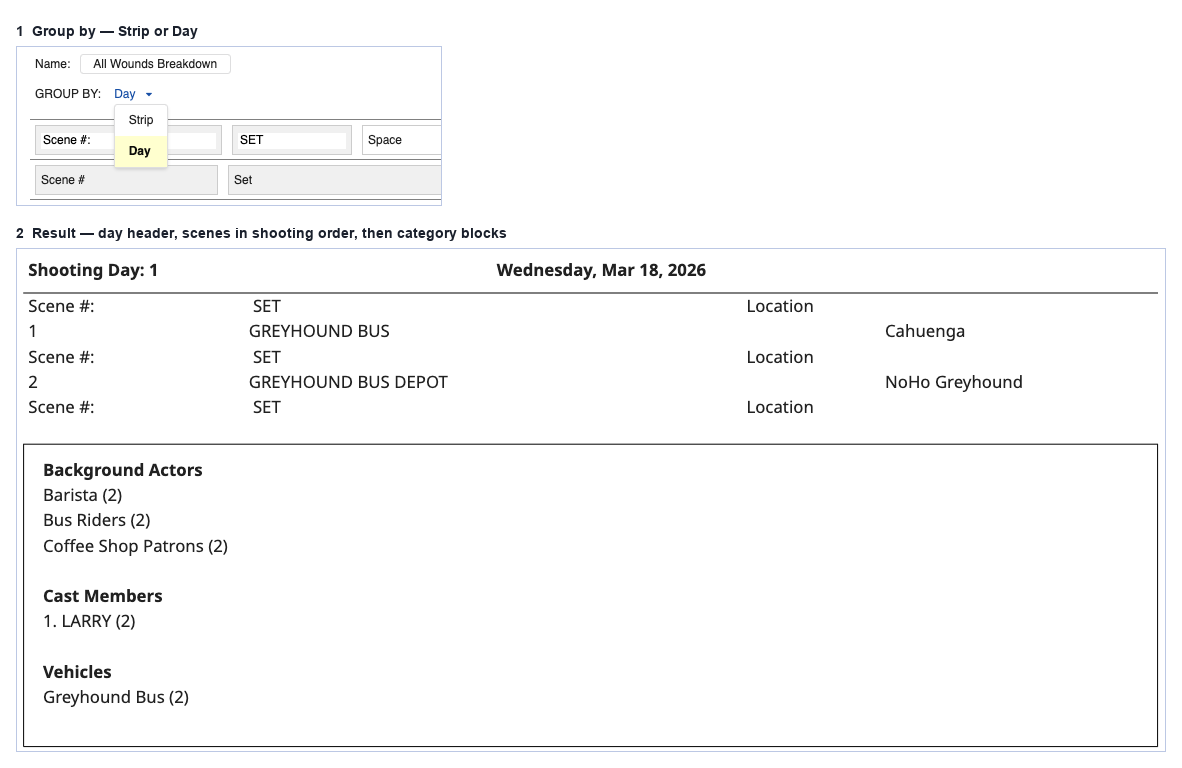
With Group by set to Day, the Breakdown report groups output by shooting day, so you can build a call sheet from one report instead of totaling each day from strip-by-strip output.
Group by: Strip prints each Breakdown Sheet separately, with its own category block per strip. Group by: Day prints a header for the shooting day, the day's strips beneath it, then one merged category block per category covering the whole day.
Report order comes from the selected Sub-Board, not from this setting. A shooting Sub-Board prints in shooting order; choose a continuity Sub-Board for story order.
Each shooting day prints as its own section: a header with the day number and date, the day's scenes in shooting order, then category blocks for the day (Cast, Props, Vehicles, Wardrobe, Hair/Makeup, Special Equipment, Animals, Stunts, VFX, and Other).
Each element appears once per category, with quantity in brackets when it is more than one, using the same totals as the Daily Category Total report. A toggle controls whether the daily reusable quantity shows beside the element name.
Note
The shoot-day header appears only in group-by-day mode.