Building a Schedule with the Calendar
Drag & Drop
You can drag and drop Strips directly in the Calendar to reschedule them to a different day.
The Split Screen Option
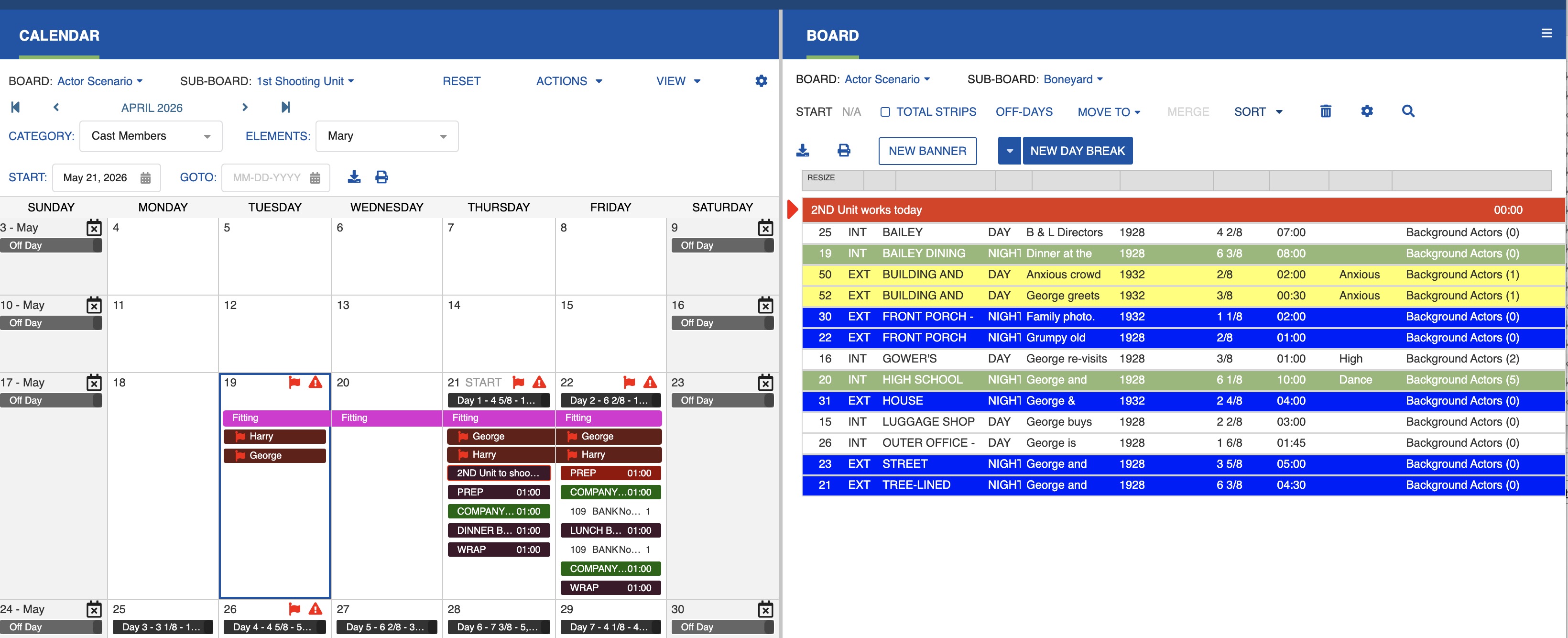
Use the Calendar/Board Split Screen option to view the Calendar and Board side by side, making it easier to reorganize your shooting schedule.
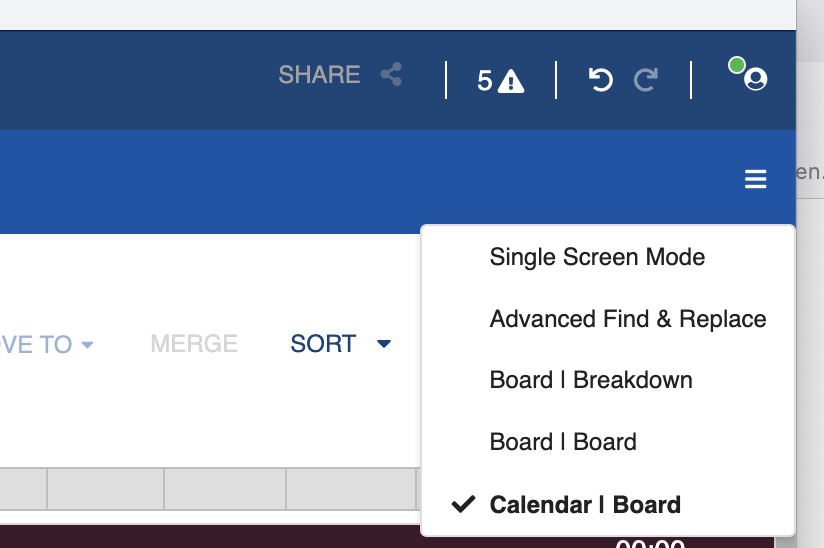
Select the Board and Sub-Board in each panel, then drag and drop the strips from the Board to the appropriate Calendar date.
Note
You can only drag and drop strips between two Sub-Boards of the same Board. You cannot drag and drop between different Boards.