Managing Red Flag Types
Red Flag warning types are the named constraints you apply to elements, such as "Unavailable", "Travel", or "Fitting". You can add, delete, and reorder these types from the settings icon in the Red Flag window.
Add a Red Flag Type
-
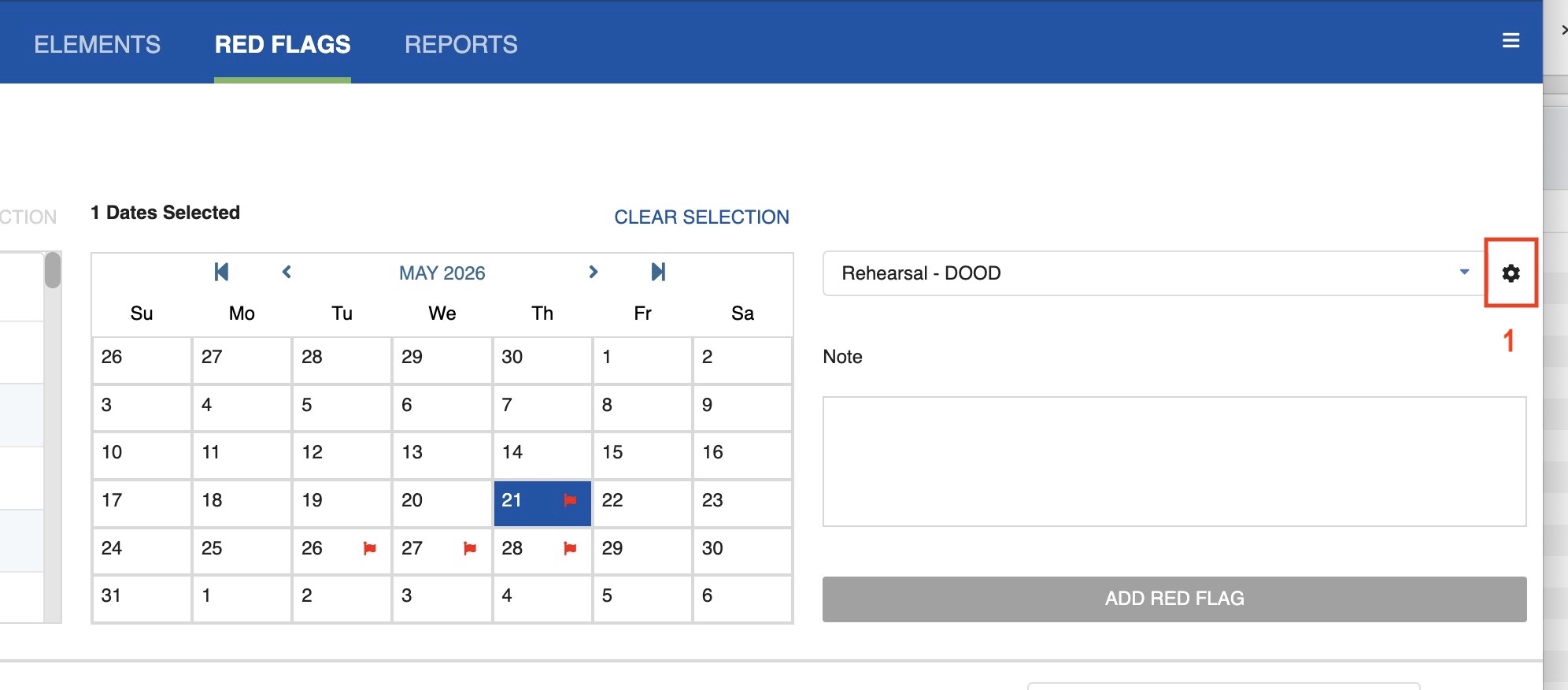
Click on the settings icon on the upper right.
-
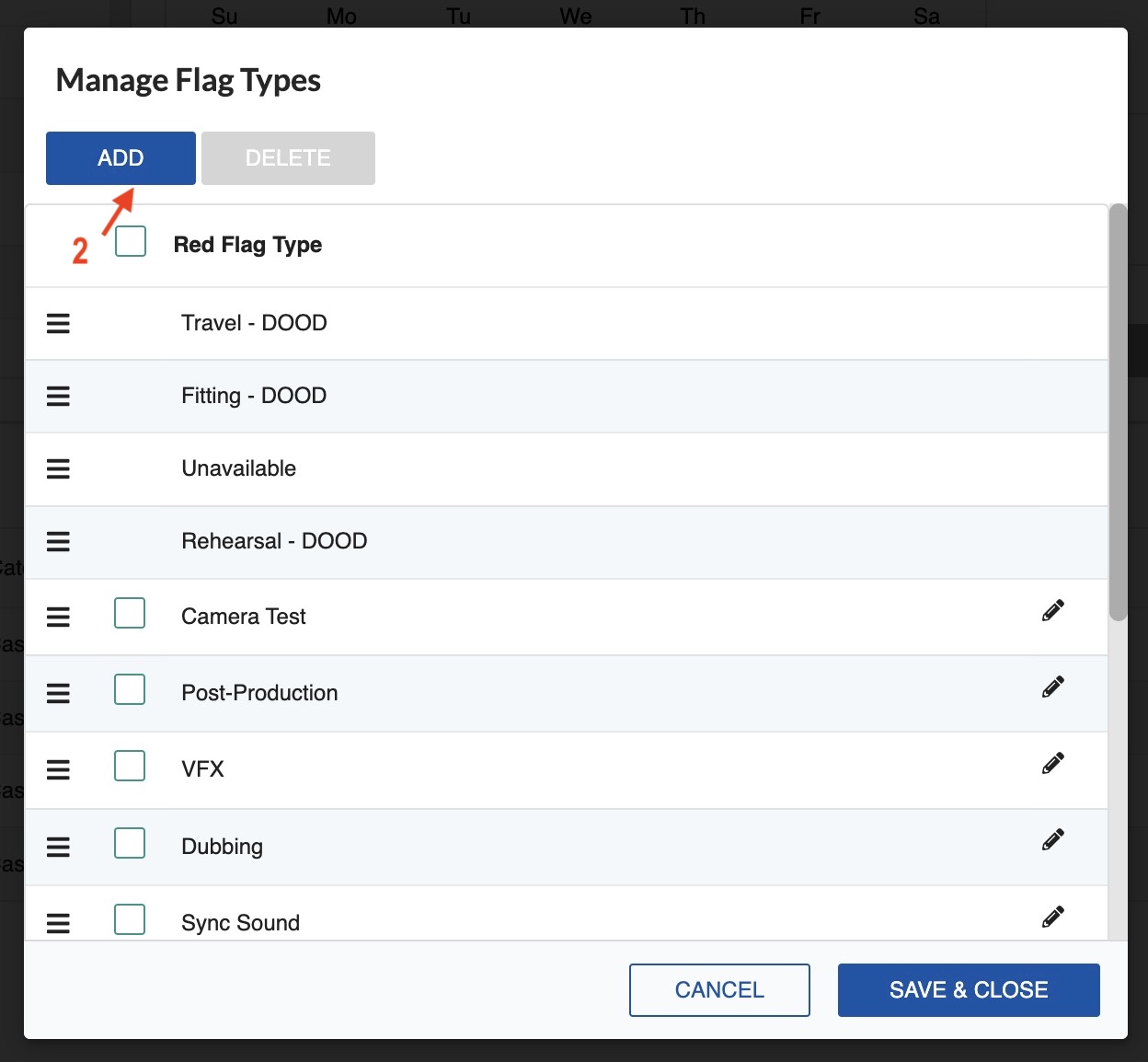
Click on the ADD tab.
-
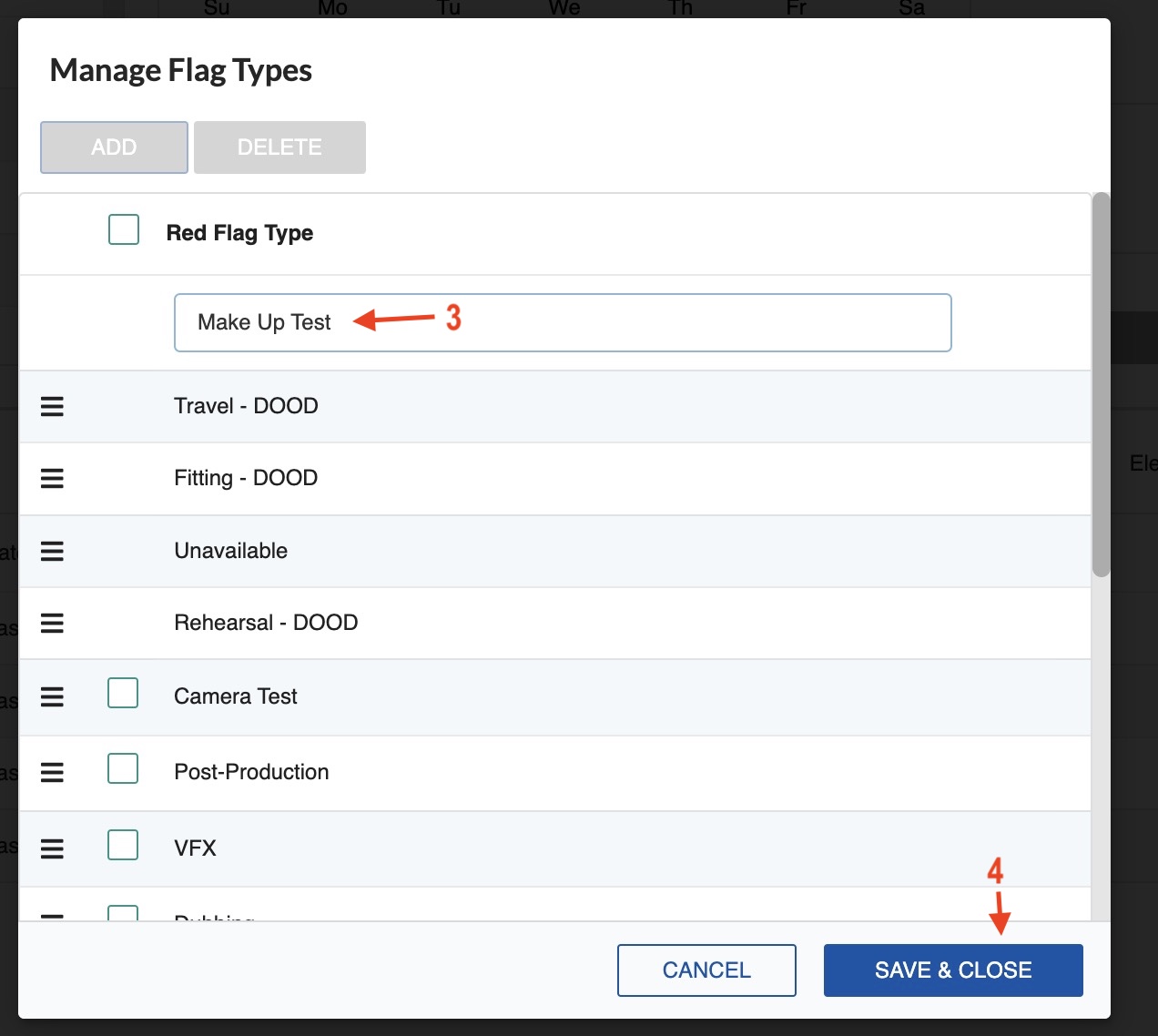
Type the name of the new Red Flag Warning.
-
Click Save & Close.
Delete a Red Flag Type
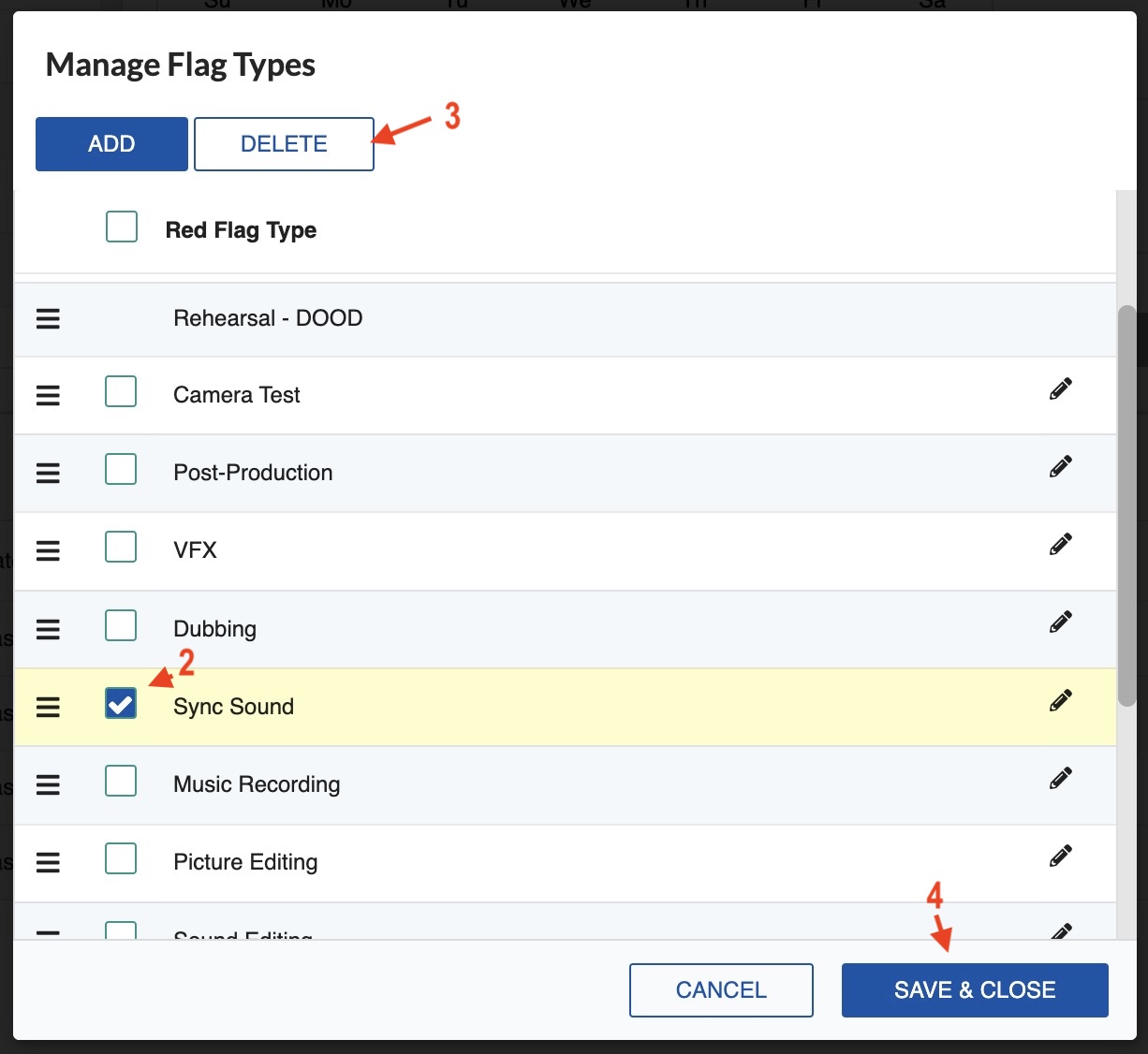
- Click on the settings icon on the upper right.
- Select the Red Flag Warning you want to delete.
- Click the DELETE tab.
-
Click Save & Close.
Note
You cannot delete a DOOD Red Flag.
Reorganize Red Flag Types
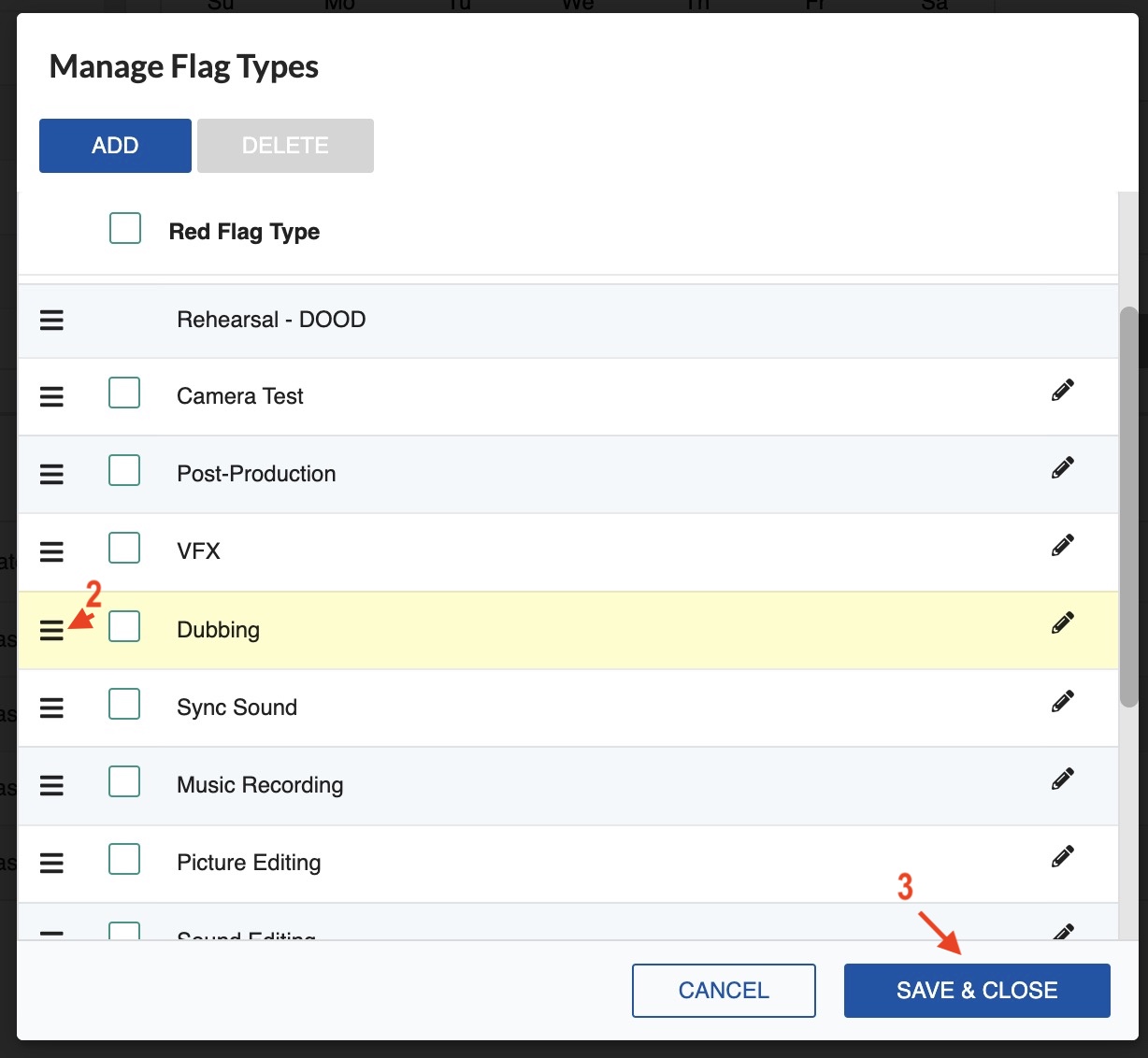
- Click on the settings icon on the upper right.
- Click the three-line icon to the left of the Red Flag type you want to move.
- Drag and drop it into the desired position.
-
Click Save & Close.